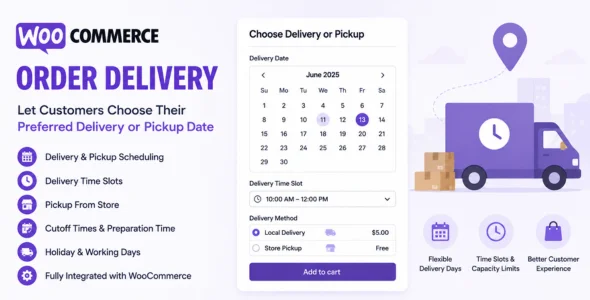
WooCommerce Order Delivery is a powerful delivery scheduling plugin that allows customers to choose their preferred delivery or pickup date directly during checkout. Designed for businesses that offer local delivery, store pickup, food delivery, groceries, flowers, catering, and made-to-order products, the plugin helps improve customer satisfaction by providing accurate delivery expectations and flexible scheduling options.
The plugin gives store owners complete control over delivery operations by allowing them to configure delivery days, pickup schedules, order preparation times, cutoff hours, holidays, and time slots. Customers can select available delivery dates and times while the system automatically prevents bookings that cannot be fulfilled.
Built specifically for WooCommerce, Order Delivery integrates seamlessly with the checkout process and helps businesses manage order fulfillment more efficiently. Whether you operate a local delivery service, restaurant, bakery, flower shop, or retail store, the plugin provides everything needed to streamline delivery scheduling and improve the customer experience.
Delivery Slot Fees
Charge additional fees for premium delivery times.
Pickup Slot Fees
Apply fees for selected pickup time frames if required.
Shipping Method-Based Scheduling
Assign different delivery schedules to specific shipping methods.
Advanced Delivery Ranges
Configure different delivery windows based on shipping speed.
Checkout Integration
Display delivery scheduling options directly within WooCommerce checkout.
Order Management Dashboard
View delivery and pickup details directly within WooCommerce orders.
Order Date Editing
Modify delivery dates and time slots after orders are placed.
Customer Notifications
Display delivery information in customer accounts and emails.
Order Filtering by Delivery Date
Filter WooCommerce orders based on delivery schedules.
Tip Collection at Checkout
Allow customers to add delivery or pickup tips.
WooCommerce Block Checkout Support
Compatible with modern WooCommerce checkout experiences.
Responsive Design
Fully optimized for desktop, tablet, and mobile devices.
Fulfillment Workflow Automation
Automatically calculate available delivery dates based on business rules.
Performance Optimization
Built to handle delivery scheduling efficiently even for busy stores.
Regular Updates & Professional Support
Receive ongoing feature improvements, compatibility updates, and dedicated support.
Download WooCommerce Order Delivery Plugin
WooCommerce Order Delivery is an excellent choice for businesses that need reliable delivery and pickup scheduling directly within WooCommerce. Its advanced date selection tools, time slot management, order limits, and fulfillment controls make it one of the most complete delivery scheduling solutions available for WooCommerce stores.
To get started:
Log in to your WordPress dashboard.
Go to Plugins > Add New > Upload Plugin.
Upload the WooCommerce Order Delivery.zip file.
Click Install Now and then Activate.
Configure delivery and pickup settings.
Create delivery schedules and time slots.
Start accepting scheduled orders from customers.
Improve your store’s delivery experience with WooCommerce Order Delivery—the complete scheduling solution for deliveries, pickups, reservations, and order fulfillment.