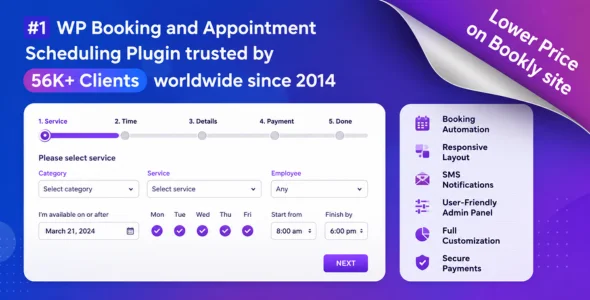
Bookly PRO is a powerful appointment booking and scheduling plugin for WordPress designed to help businesses automate online bookings, manage appointments, accept payments, and streamline customer scheduling. It is widely used by salons, clinics, consultants, fitness trainers, spas, beauty professionals, repair services, educational institutions, and any business that relies on appointments.
Bookly PRO provides a complete booking management system with an intuitive interface for both administrators and customers. Visitors can easily book appointments online, choose services, select staff members, and make payments directly through the booking form. The plugin helps reduce manual scheduling tasks while improving the overall customer experience.
Built for flexibility and scalability, Bookly PRO supports multiple staff members, recurring appointments, online payments, automated notifications, and extensive customization options. Whether you’re managing a small local business or a large service-based company, Bookly PRO provides all the tools needed to automate appointment scheduling and increase efficiency.
Online Appointment Booking System
Allow customers to schedule appointments directly from your website.
Customizable Booking Forms
Create booking forms that match your business requirements and branding.
Multiple Staff Management
Assign appointments to specific staff members and manage individual schedules.
Service Management
Create unlimited services with custom pricing, durations, and categories.
Online Payment Integration
Accept payments through popular payment gateways directly from the booking form.
Automated Email Notifications
Send appointment confirmations, reminders, and updates automatically.
SMS Notifications
Notify customers and staff about upcoming appointments through SMS messages.
Google Calendar Integration
Sync appointments with Google Calendar automatically.
Recurring Appointments
Allow customers to schedule recurring bookings and ongoing appointments.
Staff Scheduling & Availability
Manage staff working hours, breaks, holidays, and availability.
Customer Database Management
Store and manage customer information and booking history.
Appointment Status Management
Track appointments with statuses such as approved, pending, canceled, or completed.
Custom Time Slots
Configure appointment intervals and booking availability.
WooCommerce Integration
Integrate appointment bookings with WooCommerce products and checkout.
Group Booking Support
Accept appointments for multiple participants at the same time.
Waiting List Functionality
Allow customers to join waiting lists when appointments are unavailable.
Discount & Coupon Support
Offer promotional discounts and coupon codes for bookings.
Multi-Language Support
Create booking systems for customers in multiple languages.
Multi-Location Management
Manage appointments across multiple business locations.
Advanced Reporting & Analytics
Monitor bookings, revenue, customer activity, and business performance.
Customer Dashboard
Allow customers to view, manage, and cancel appointments online.
Mobile-Friendly Booking Forms
Provide a seamless booking experience across all devices.
Custom Fields Support
Collect additional customer information during the booking process.
Timezone Management
Automatically adjust appointment times based on customer location.
Staff Commission Management
Track staff performance and earnings based on appointments.
Calendar View Interface
Manage appointments through a visual scheduling calendar.
Stripe & PayPal Support
Accept secure online payments using trusted payment gateways.
Responsive Admin Dashboard
Manage bookings efficiently from desktops, tablets, and smartphones.
Regular Updates
Receive continuous feature enhancements and compatibility improvements.
Professional Support & Documentation
Access detailed guides, tutorials, and dedicated customer support.
Download Bookly PRO Plugin
Bookly PRO is an excellent choice for businesses that want to automate appointment scheduling and improve customer booking experiences. Its advanced scheduling tools, payment integrations, automated notifications, and flexible customization options make it one of the most popular booking plugins available for WordPress.
To get started:
Log in to your WordPress dashboard.
Go to Plugins > Add New > Upload Plugin.
Upload the Bookly PRO.zip file.
Click Install Now and then Activate.
Configure your services, staff members, and booking settings.
Connect payment gateways and notification services.
Start accepting appointments online.
Manage appointments effortlessly with Bookly PRO—the complete WordPress booking solution for service-based businesses, professionals, and organizations.
v10.2
Added support for Bookly 27.8
Improved random staff selection in the booking forms
Fixed an issue when customer name disappeared from Google Calendar after appointment cancellation
Fixed false appointment time conflicts when adding appointments without time to the WooCommerce cart