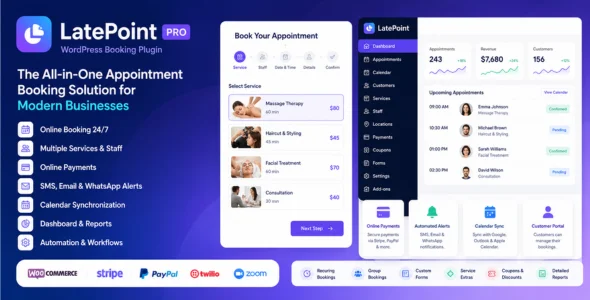
LatePoint Pro is a powerful, modern, and feature-rich WordPress appointment booking plugin designed for service-based businesses that need professional scheduling, calendar management, online payments, customer management, and workflow automation. Built with a clean and user-friendly interface, LatePoint Pro allows businesses to accept online bookings 24/7 while automating appointments, reminders, and customer communication.
Designed for salons, consultants, coaches, clinics, fitness centers, agencies, repair services, and appointment-based businesses, LatePoint Pro helps streamline booking management through an intuitive dashboard, flexible scheduling tools, and advanced automation features. The plugin provides a modern multi-step booking experience that improves user engagement and reduces booking friction.
LatePoint Pro includes advanced scheduling features such as recurring appointments, multiple agents, service extras, group bookings, calendar synchronization, payment integrations, virtual meeting support, custom forms, automated notifications, and customer self-service portals. Its performance-focused architecture ensures smooth operation across WordPress websites while maintaining fast loading speeds and excellent user experience.
Built for businesses that rely on appointments and bookings, LatePoint Pro combines scheduling, payments, customer management, and automation into a complete WordPress booking solution.
Detailed Documentation & Support Includes setup guides, tutorials, and developer resources.
Download LatePoint Pro
LatePoint Pro is an excellent choice for users who want a modern, fast, and professional WordPress booking plugin for appointment scheduling, customer management, and business automation.
To get started:
Log in to your WordPress dashboard.
Go to Plugins > Add New > Upload Plugin.
Upload the LatePoint Pro .zip file.
Click Install Now and then Activate.
Configure your services, agents, and booking settings.
Start accepting online appointments and automating your scheduling workflow.
Build a powerful and fully automated appointment booking system with LatePoint Pro — perfect for salons, consultants, agencies, healthcare providers, coaches, fitness businesses, and service-based companies that need advanced scheduling flexibility and professional booking management.
= v5.6.9 – July 16, 2026 =
– New
– Introduces the PayPal v6 payment gateway integration.
– Improvements
– Added filter ‘latepoint_calendar_now_datetime’ for calendar flexibility to better support customer timezone-based calendars.
– Reordered the Permitted Actions in Roles settings to improve organization and usability.
– Strengthened the Razorpay payment verification.
– Fixes
– Fixed delayed workflow actions running immediately in some case instead of waiting for the configured delay.
– Fixed an issue where Google Calendar events were not removed when bookings were deleted from an order in the admin area.