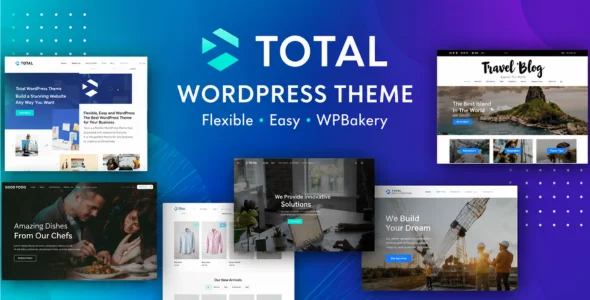
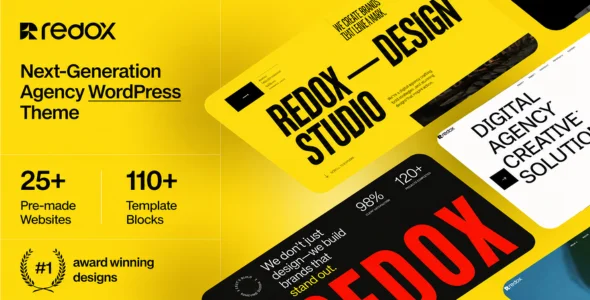
Total is a powerful multipurpose WordPress theme designed for businesses, agencies, freelancers, online stores, bloggers, portfolios, non-profit organizations, and corporate websites. Developed with flexibility, performance, and ease of use in mind, Total allows users to create virtually any type of website without coding knowledge. The theme follows modern WordPress standards and offers deep integration with popular page builders, making website creation fast and efficient.
Designed for both beginners and professionals, Total includes a large collection of pre-built demos, advanced customization options, WooCommerce support, custom post types, and a powerful visual design system. Whether you’re launching a business website, portfolio, blog, online store, or membership platform, Total provides the tools needed to build a professional online presence.
Built with performance and scalability in mind, Total includes optimized code, responsive layouts, advanced design controls, and compatibility with Elementor, WPBakery, WooCommerce, WPML, BuddyPress, bbPress, and many other popular WordPress plugins.
Multipurpose Website Design Build business websites, blogs, portfolios, online stores, and corporate platforms.
50+ Ready-Made Website Demos Launch professional websites quickly using pre-built demos.
One-Click Demo Import Import complete demo websites within minutes.
WPBakery Integration Build pages visually using the WPBakery Page Builder.
Elementor Compatibility Create custom layouts using Elementor.
90+ WPBakery Patterns Speed up website creation with ready-made design patterns.
100+ Builder Elements Access a large collection of design and content elements.
Advanced Theme Customizer Customize layouts, colors, typography, and branding settings.
WooCommerce Integration Create and manage fully functional online stores.
Header Builder Options Design custom headers and navigation layouts.
Mega Menu Support Create advanced navigation menus with custom content.
Custom Post Types Manage portfolios, staff members, testimonials, and more.
Portfolio Builder Showcase projects and creative work professionally.
Team Member Sections Display staff profiles and company information.
Testimonial Management Build trust with customer testimonials and reviews.
Unlimited Color Options Customize every aspect of your website branding.
Advanced Typography Controls Control fonts, sizes, and text styling globally.
Responsive Design Fully optimized for desktop, tablet, and mobile devices.
Retina Ready Support Display sharp images and graphics on high-resolution screens.
CSS Shape Dividers Create modern section transitions and visual effects.
Parallax Background Support Add engaging scrolling effects to website sections.
Animation Effects Enhance pages with modern visual animations.
Blog Layout Variations Choose from multiple blog and article layouts.
Boxed & Full-Width Layouts Select different website layout styles.
WPML Compatibility Create multilingual websites for global audiences.
BuddyPress Compatibility Build online communities and social networking websites.
bbPress Support Create discussion forums and community platforms.
SEO-Friendly Structure Built using search engine optimization best practices.
Performance Optimization Optimized code and smart asset loading for faster websites.
Regular Updates & Professional Support Receive ongoing feature improvements, compatibility updates, and dedicated support.
Download Total WordPress Theme
Total is an excellent choice for users who want a flexible, feature-rich, and highly customizable WordPress theme. Its extensive demo library, WooCommerce integration, page builder support, and performance-focused architecture make it suitable for almost any type of website.
To get started:
Log in to your WordPress dashboard.
Go to Appearance > Themes > Add New > Upload Theme.
Upload the Total Theme.zip file.
Click Install Now and then Activate.
Install the recommended plugins.
Import a demo website.
Customize layouts, colors, and content.
Launch your professional website.
Build fast, responsive, and fully customizable websites with Total Theme—the complete WordPress solution for businesses, agencies, bloggers, creatives, and online stores.
Version released on May 13, 2026
This update includes a new version of WPBakery that contains an important security patch.
AddedNew “Split Heading” element: easily create multi-segment headings with independent colors, font weight, opacity, rotation…etc, for each word.
AddedOption to the Star Rating element to display the label after the stars (example).
AddedCustomizer option under Blog > Author to define the number of posts per page for author based archives.
AddedNew {{term_count}} dynamic variable which can be used in a custom term card or dynamic template to display the number of posts in the current term.
UpdatedThe “Add New” button for custom cards and dynamic templates in the WordPress admin to open the WPBakery builder by default if WPBakery is enabled, instead of Gutenberg.
UpdatedThe Flex Container so the “Stack” options are under a new “Responsive” tab and added the ability to define the item alignment when stacked.
UpdatedThe Button element so that instead of a single border field you can now set border width, style, and colors separately with options for default, hover, and active border colors.
UpdatedThe Search Bar element: removed the ‘Stack at Breakpoint’ toggle so that stacking is now controlled solely via the existing ‘Stack Breakpoint’ select field.
UpdatedThe crossed-out original product price was way too small on single WooCommerce products.
UpdatedThe OffCanvas dropdowns to disable text selection, preventing the text from being highlighted when clicked multiple times rapidly.
UpdatedThe License Manager to automatically disable “staging mode” when a site is moved from staging back to a live environment, if the live site is already registered.
UpdatedAjax search entry template to use a script tag instead of an HTML5 template to prevent issues where Google bots might follow the {{permalink}} links in the template and report 404 errors.
UpdatedThe demo importer screenshots to use WebP format for better performance and smaller file sizes.
UpdatedElementor widget insert buttons now display the branding label (Total or custom) as a top-right badge instead of being shown alongside the widget name.
UpdatedThe Elementor “Remove Upsells” functionality to remove a few new additions in the latest version of the plugin.
FixedIssue where you could not select “Parent Terms Only” for the Term Cards element.
FixedCustom border radius options not working with the “Minimal Border” button style.
FixedIssue with the color picker not working when choosing term based colors (category color).
FixedIssue with the custom page header title overlay color not working when the title style was set to Background Image via the Theme Settings metabox.
FixedIssue with images and videos stretching when added inside an Inner Row with the Fill Column option enabled.
FixedIssue with custom fonts not rendering in the Classic or Gutenberg editor.
FixedIssue where using ‘sidebar’ as the element ID for a WPBakery column (which can be done in order to apply the Customizer sidebar styling) was messing up the width in the front-end WPBakery editor.
FixedIssue with the WooCommerce saved payments list showing bullets on the checkout page.
FixedIssue with the icon position (before or after text) not working with the Navigation Bar element.
FixedIssue in the WPBakery front-end editor where editing an element that has the classic editor could cause links on the page to appear underlined.
FixedDeprecated notice – trim(): Passing null to parameter #1 ($string) of type string is deprecated.
FixedAn issue where some theme elements were not adding rel=”noopener noreferrer” to links opening in a new tab.
FixedCustom branding defined in the Theme Panel was not being applied to the Elementor widgets and editor UI categories.
FixedAn issue on RTL sites where themes initially installed using version 6.6 defaulted to a right sidebar layout instead of a left sidebar layout.
FixedIssue where changing the Numbered Pagination Arrow Style in the Customizer wouldn’t refresh the page to preview changes to the setting.
RemovedThe “Staging Theme License Active” notice from the WordPress admin when the license is activated on a staging site, as it could be quite annoying. Instead, the theme now detects if it is running in staging mode when the site is not actually a staging environment and displays a mismatch notice in that case.