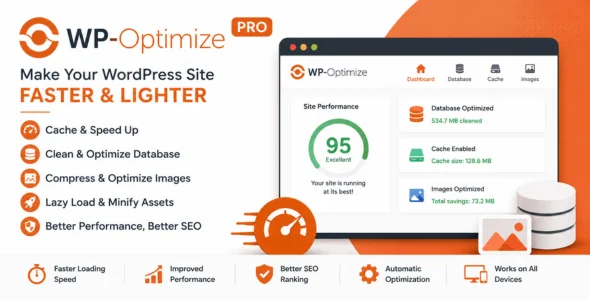
WP-Optimize Pro is a powerful WordPress optimization plugin designed to improve website performance, reduce database bloat, compress images, and enhance overall site speed. Developed by the team behind UpdraftPlus, WP-Optimize Pro combines caching, database optimization, image compression, and advanced performance tools into a single solution, helping website owners achieve faster loading times and a better user experience.
WP-Optimize Pro is ideal for bloggers, businesses, WooCommerce stores, agencies, and developers who want to optimize WordPress websites without installing multiple performance plugins. It provides automated maintenance tools that keep websites running smoothly while reducing server resource usage and improving page speed scores.
Built for performance and ease of use, WP-Optimize Pro offers advanced caching features, scheduled database cleanups, lazy loading, image optimization, and multisite support. Whether you’re managing a small blog or a high-traffic WooCommerce store, WP-Optimize Pro provides everything needed to maintain a fast and efficient WordPress website.
Bulk Image Optimization
Compress multiple images at once to save time and storage space.
WebP Image Conversion
Convert images to modern WebP format for improved performance.
Lazy Loading Support
Load images only when needed to reduce initial page load times.
Cache Preloading
Automatically generate cache files before visitors access pages.
Browser Caching
Leverage browser caching to improve repeat visitor performance.
GZIP Compression
Reduce page sizes and accelerate content delivery.
Minification Support
Minify CSS, JavaScript, and HTML files to reduce file sizes.
Cache Exclusion Rules
Exclude specific pages, posts, cookies, or user roles from caching.
WooCommerce Compatibility
Optimize WooCommerce stores without affecting cart and checkout functionality.
Mobile Device Caching
Create separate cache files optimized for mobile visitors.
Multisite Support
Manage optimization settings across WordPress Multisite networks.
Database Table Optimization
Optimize database tables to improve query performance.
Post Revision Cleanup
Remove unnecessary post revisions and reduce database clutter.
Spam Comment Removal
Automatically clean spam and trashed comments from the database.
Transient Cleanup
Remove expired transient options to keep the database efficient.
Scheduled Optimization Tasks
Automate routine maintenance and performance improvements.
Advanced Reporting Dashboard
Monitor optimization results and performance improvements.
CDN Compatibility
Works seamlessly with popular content delivery networks.
Cloudflare Compatibility
Integrates smoothly with Cloudflare caching and performance features.
Resource Usage Reduction
Reduce server load and improve hosting efficiency.
Responsive Performance Optimization
Ensure fast loading speeds across all devices.
SEO Performance Benefits
Improve page speed metrics that contribute to search engine rankings.
Developer-Friendly Controls
Advanced configuration options for developers and power users.
Regular Updates
Receive ongoing performance enhancements and compatibility improvements.
Comprehensive Documentation
Access detailed guides, tutorials, and optimization resources.
Professional Support
Get expert assistance from the WP-Optimize support team.
Download WP-Optimize Pro Plugin
WP-Optimize Pro is an excellent choice for WordPress users who want an all-in-one performance optimization solution. Its combination of caching, image compression, database optimization, and automated maintenance tools makes it one of the most effective WordPress optimization plugins available.
To get started:
Log in to your WordPress dashboard.
Go to Plugins > Add New > Upload Plugin.
Upload the WP-Optimize Pro.zip file.
Click Install Now and then Activate.
Configure caching and optimization settings.
Run your first database optimization.
Enable image compression and performance enhancements.
Speed up your WordPress website with WP-Optimize Pro—the complete performance optimization solution for caching, database cleanup, image compression, and website acceleration.