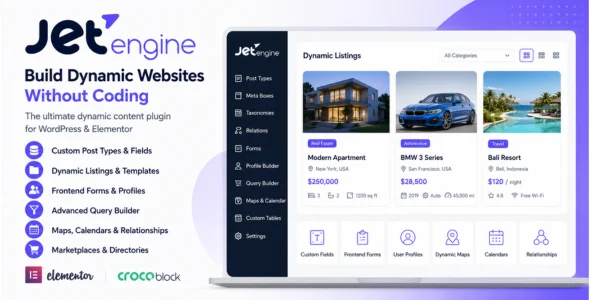
JetEngine is a powerful dynamic content plugin developed by Crocoblock that allows WordPress users to create custom post types, custom fields, dynamic listings, directories, marketplaces, membership websites, and advanced data-driven websites without coding. Designed primarily for Elementor, JetEngine extends WordPress beyond its default capabilities, making it possible to build highly dynamic and scalable websites.
JetEngine is ideal for directory websites, real estate platforms, job boards, business listings, travel websites, automotive marketplaces, membership sites, booking systems, and custom web applications. It provides complete control over content structure, data relationships, and front-end presentation while maintaining a user-friendly visual workflow.
Built for flexibility and performance, JetEngine includes advanced tools for dynamic content management, custom queries, frontend forms, profile builders, dynamic calendars, maps integration, and much more. Whether you’re creating a simple directory or a complex marketplace platform, JetEngine provides the tools needed to build professional dynamic WordPress websites.
Custom Post Types Builder
Create unlimited custom post types for directories, listings, portfolios, and other content.
Custom Fields Management
Add custom fields to posts, pages, users, taxonomies, and custom content types.
Dynamic Listing Builder
Display dynamic content using customizable listing templates.
Elementor Integration
Build dynamic websites visually with Elementor compatibility.
Custom Taxonomies Support
Create custom categories, tags, and classification systems.
Meta Boxes Builder
Add advanced data fields to WordPress content types.
Dynamic Content Widgets
Display dynamic fields, images, videos, and metadata anywhere on your website.
Relationship Builder
Create relationships between posts, users, products, and custom content.
Frontend Forms Builder
Allow users to submit, edit, and manage content from the frontend.
Profile Builder
Create custom user dashboards and profile management systems.
User Registration Forms
Build custom registration and login systems.
Advanced Query Builder
Create complex content queries without writing code.
Dynamic Calendar Functionality
Display events, bookings, and schedules using interactive calendars.
Dynamic Maps Integration
Display listings, properties, and locations on interactive maps.
Directory Website Creation
Build business directories, service listings, and classified websites.
Real Estate Website Support
Create property listing platforms with custom property data.
Marketplace Functionality
Build product, service, and vendor marketplaces.
Membership Website Support
Create membership platforms with custom user content.
WooCommerce Integration
Extend WooCommerce products with dynamic custom fields and content.
Repeater Fields Support
Store and display multiple data entries within a single field.
Dynamic Visibility Conditions
Show or hide content based on custom rules and user conditions.
Booking System Compatibility
Integrates with JetBooking and other Crocoblock booking plugins.
REST API Integration
Connect external data sources and APIs to dynamic content.
Custom Tables Builder
Store large amounts of custom data efficiently using dedicated database tables.
Advanced Search Compatibility
Works seamlessly with JetSmartFilters and advanced filtering systems.
Multilingual Compatibility
Supports WPML and multilingual WordPress websites.
Responsive Design Support
Ensure dynamic content displays correctly across all devices.
Developer-Friendly Features
Includes hooks, filters, and advanced customization options.
Regular Updates
Receive ongoing feature improvements and compatibility updates.
Professional Documentation & Support
Access tutorials, guides, and dedicated customer support resources.
Download JetEngine WordPress Plugin
JetEngine is an excellent choice for WordPress users who want to create advanced dynamic websites without custom coding. Its powerful custom content tools, frontend forms, relationship management, and Elementor integration make it one of the most popular dynamic content plugins available.
To get started:
Log in to your WordPress dashboard.
Go to Plugins > Add New > Upload Plugin.
Upload the JetEngine.zip file.
Click Install Now and then Activate.
Create your custom post types and fields.
Build dynamic listing templates.
Start creating powerful dynamic websites.
Build directories, marketplaces, membership sites, real estate platforms, and advanced WordPress applications with JetEngine—the ultimate dynamic content solution for WordPress and Elementor.
v3.8.12
– ADD: Profile Builder. Allow selecting multiple roles for “Show menu for the role” option in “Profile menu”;
– ADD: Listing grid. Add server-side signature for filtered query to prevent client-side tampering of listing arguments;
– UPD: CCT. Allow to delete CCT item when its related single post is permanently deleted;
– FIX: Query Builder. Avoid PHP warnings when condition “field” is non-string and ensure proper sanitization;
– FIX: Query Builder. Label dedicated relation tables with relation names in the SQL table selector;
– FIX: Dynamic Field + Gallery Slider. Set auto height by default;
– FIX: Dynamic Field. Reduce redundant inner wrapper and optimize DOM output;
– FIX: `[jet_engine]` shortcode. Sanitize output to prevent XSS;
– FIX: Components. Preview styles in the Block editor;
– FIX: Components. Prevent PHP warning when using Dynamic Field with empty value and no fallback;
– FIX: Replace unsafe `maybe_unserialize` usage with safe unserialize helpers across all components where it was needed.