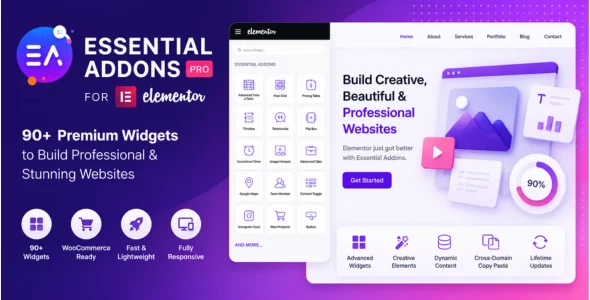
Essential Addons for Elementor Pro is one of the most popular Elementor addon plugins, designed to extend the capabilities of Elementor with a powerful collection of advanced widgets, creative elements, templates, and dynamic content tools. It helps WordPress users create professional, interactive, and visually appealing websites without writing code.
Essential Addons for Elementor Pro is ideal for bloggers, businesses, agencies, freelancers, eCommerce stores, marketers, and developers who want to unlock more design possibilities within Elementor. With dozens of premium widgets and advanced customization options, the plugin makes it easy to create unique layouts and engaging user experiences.
Built for performance and flexibility, Essential Addons for Elementor Pro integrates seamlessly with Elementor and most WordPress themes. Whether you’re building landing pages, WooCommerce stores, portfolios, blogs, membership websites, or corporate websites, the plugin provides everything needed to enhance your Elementor workflow and website design.
90+ Premium Elementor Widgets
Access a large collection of advanced widgets and design elements.
WooCommerce Widgets
Display products, categories, carts, and store content professionally.
Advanced Data Table Widget
Create responsive tables for pricing, comparisons, and data presentation.
Post Grid Widget
Show blog posts and custom content in attractive grid layouts.
Post Timeline Widget
Display content chronologically using interactive timelines.
Content Toggle Widget
Allow users to switch between different content sections easily.
Advanced Accordion Widget
Organize content using customizable accordion layouts.
Interactive Flip Box
Create engaging content cards with flip animations.
Pricing Table Widget
Build professional pricing plans for products and services.
Advanced Tabs Widget
Display content in clean and organized tab layouts.
Testimonial Slider
Show customer reviews and testimonials dynamically.
Team Member Widget
Highlight team profiles with social media links and descriptions.
Countdown Timer Widget
Create urgency for promotions, launches, and special offers.
Advanced Google Maps Widget
Display custom maps with multiple markers and styling options.
Image Hotspot Widget
Create interactive images with clickable hotspot markers.
Creative Buttons
Design advanced call-to-action buttons with animations.
Content Protection Widget
Restrict content visibility based on user roles and conditions.
Dynamic Content Support
Display dynamic data from custom fields and external sources.
Advanced Tooltip Widget
Add interactive tooltips and informational popups.
Lightbox & Modal Popup Support
Display content in elegant popups and overlays.
Particle Effects
Add animated particle backgrounds to Elementor sections.
Parallax Effects
Create modern scrolling and depth effects.
Reading Progress Bar
Display article reading progress for visitors.
Instagram Feed Widget
Show Instagram content directly on your website.
Facebook Feed Integration
Display Facebook posts and social content.
Advanced Gallery Widget
Create beautiful image galleries with filtering options.
Responsive Design Controls
Optimize layouts for desktop, tablet, and mobile devices.
Cross-Domain Copy Paste
Copy Elementor designs between different websites instantly.
Template Library Access
Import professionally designed Elementor templates quickly.
Regular Updates & Professional Support
Receive ongoing feature enhancements, security updates, and dedicated support.
Download Essential Addons for Elementor Pro Plugin
Essential Addons for Elementor Pro is an excellent choice for Elementor users who want to expand their website-building capabilities with advanced widgets, creative design tools, and powerful customization options. Its extensive feature set, WooCommerce compatibility, and performance-focused architecture make it one of the most popular Elementor addon plugins available.
To get started:
Log in to your WordPress dashboard.
Go to Plugins > Add New > Upload Plugin.
Upload the Essential Addons for Elementor Pro.zip file.
Click Install Now and then Activate.
Connect the plugin license if required.
Open Elementor and access the premium widgets.
Start building advanced layouts and interactive website sections.
Enhance your Elementor experience with Essential Addons for Elementor Pro—the complete toolkit for creating professional, dynamic, and feature-rich WordPress websites.
= v7.0.0 – 08/07/2026 =
– Added: New Extension | EA Advanced Slider
– Improved: Improved security for the Advanced Data Table widget
– Few minor bug fixes & improvements