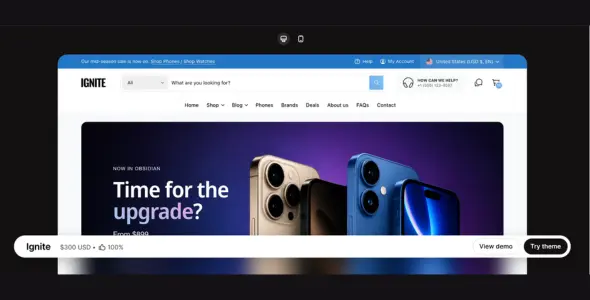
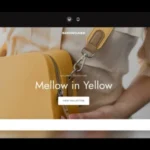
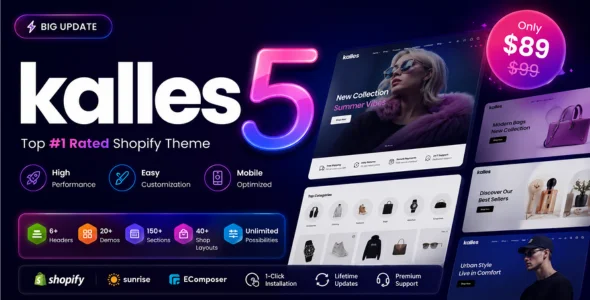
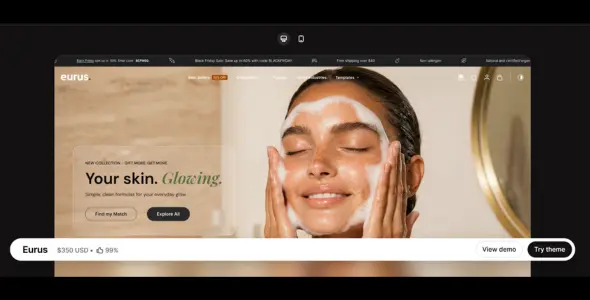
Ignite Shopify Theme is a modern, performance-driven Shopify theme designed for brands that want a clean, fast, and conversion-focused online store. With bold layouts, flexible customization, and powerful merchandising tools, Ignite is well suited for fashion, electronics, accessories, lifestyle, beauty, and high-volume eCommerce stores.
Ignite focuses on delivering a strong product presentation while maintaining smooth navigation and fast performance. Its structured layouts make it easy for customers to browse collections, explore products, and move quickly through the purchasing process.
Built using modern development standards and optimized code, Ignite ensures fast loading speeds and seamless browsing across desktop and mobile devices. The theme fully supports Shopify Online Store 3.0 (OS 3.0), allowing merchants to use sections on every page, dynamic content blocks, metafields, and flexible customization without depending heavily on external apps.
With its modular design system and adaptable homepage sections, Ignite allows store owners to build a professional storefront tailored to different industries while maintaining a clean and modern brand identity.
Modern & Conversion-Focused Design Clean and bold layouts designed to highlight products and improve shopping flow.
Flexible Homepage Sections Multiple customizable sections allow easy layout adjustments for different store styles.
Fast Loading Performance Optimized theme structure ensures quick page loads and smooth browsing.
Advanced Mega Menu Navigation Multi-column menus help organize large product catalogs and collections.
Conversion-Optimized Product Pages Structured product layouts with clear call-to-action buttons.
Quick View & Ajax Add to Cart Customers can preview products and add items to the cart without page reloads.
Sticky Header & Sticky Add to Cart Important navigation and purchase buttons remain accessible while scrolling.
High-Quality Image & Video Support Product galleries support zoom, videos, and large visuals for better presentation.
Color Swatches & Variant Options Visual selectors improve the product browsing experience.
Built-In Promotional Sections Announcement bars, banners, and featured collections help promote offers.
Countdown Timers for Promotions Increase urgency during flash sales and limited-time campaigns.
Advanced Filtering & Product Sorting Helps customers easily navigate stores with large inventories.
Mobile-First & Fully Responsive Design Optimized layouts provide smooth shopping on smartphones and tablets.
SEO-Optimized Structure Clean code and optimized performance support better search visibility.
Shopify Online Store 3.0 (OS 3.0) Support Sections everywhere, flexible app blocks, and dynamic metafields.
Multi-Currency & Multilingual Ready Built for international Shopify stores.
Cross-Browser Compatibility Works smoothly across Chrome, Safari, Firefox, and Edge.
App Integration Compatibility Compatible with most popular Shopify apps and extensions.
Documentation & Regular Updates Includes setup guides, customization instructions, and ongoing improvements.
Download Ignite Shopify Theme
Ignite Shopify Theme is a powerful option for merchants who want a fast, modern, and highly customizable Shopify store designed to improve product presentation and conversion rates.
To get started:
Log in to your Shopify admin panel.
Go to Online Store > Themes.
Purchase or upload the Ignite theme.
Publish the theme and customize it using the Shopify Theme Editor.
Create a high-performing Shopify store with Ignite Shopify Theme — an excellent choice for brands that want modern design, speed, and a strong shopping experience.
This release introduces more flexible Quick Filter options, improved product-page customization and variant-level support for the Back in stock alert. We’ve also made targeted improvements to speed, SEO, accessibility and overall stability.
New
Added a new Quick collection filter block to the Quick filter section. This allows dropdown options to be sourced directly from collection filters instead of using menus. The original “Quick filter” block has been renamed to Quick menu filter.
The Back in stock alert block on the product page can now operate at the variant level, showing when the currently selected variant is out of stock rather than when the entire product is out of stock. Use the new ‘Show prices when they’re zero’ to hide the prices for certain products, see more below.
If this block appears underneath a Panel block, ensure the Panel block’s visibility settings allow it to display correctly.
The Product enquiry block on product pages has been expanded with more settings. You could replace the standard Buy buttons block and use this block for actions such as Request a quote, Enquire now and similar.
Added a new setting in Theme Settings > Product cards called Include out of stock variants when calculating sale prices. Turning this off means sale prices on product cards will be based only on in-stock variants.
Added a new setting in Theme Settings > Product cards called Show prices when they’re zero. When disabled, products priced at 0 will hide their price from display.
Product page Panel blocks now include an option to choose the heading level (H1, H2, H3, H4).
Added a new setting in Theme Settings > Typography to choose whether font loading should prioritise Speed or Visual stability.
Added a new ‘Enquiry’ product page template.
Changed
The animated word-cycling feature is now stricter in how it reads formatting.
If you see text such as [ | ] on your storefront, it indicates that bold/italic formatting has been applied to the tags instead of just the words inside the tags. Only the words inside the brackets should be styled, e.g. [this|that], not [this|that]. Please review your updated theme to ensure the animated text is displaying correctly before publishing.
SKUs now show for cart line items. This applies to cart page and the cart drawer.
The image in the Quick filter section is now optional. Additional settings have been added for Top/Bottom spacing, and you can now set dropdowns to be opaque.
Fixes and Improvements
General performance improvements.
Improved SEO for product pages when using the Product title block.
Improved SEO for collection cards.
Improved the display of flash sales within small horizontal product cards (e.g. stacked Complementary Products).
Various improvements to layout and alignment for RTL stores.
Fixed a visual issue on mobile with the search types dropdown and predictive search.
Fixed an issue where dropdowns within the Quick filter section could appear behind other elements.
Fixed an issue affecting text with gradient backgrounds on older Android devices.
Fixed long-message display issues on the password page.
Fixed an issue affecting the positioning of the Pickup Availability drawer in RTL stores.
Fixed a Header issue where the On scroll up setting could cause elements to repeatedly reposition while scrolling.