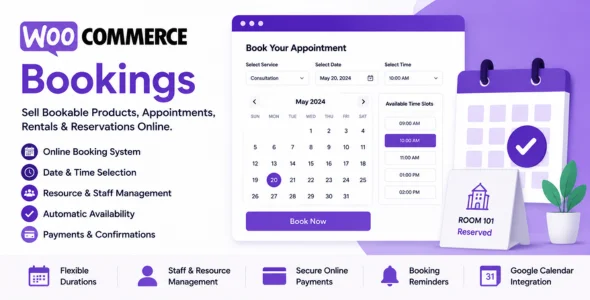
WooCommerce Bookings is a powerful WordPress plugin that allows WooCommerce store owners to sell bookable products, appointments, rentals, services, and reservations directly from their website. Designed for businesses that operate on a scheduling basis, WooCommerce Bookings enables customers to select dates, times, and booking options while automatically managing availability and reservations.
WooCommerce Bookings is ideal for hotels, vacation rentals, consultants, coaches, fitness trainers, beauty salons, healthcare providers, event organizers, equipment rental businesses, and service-based companies. The plugin transforms WooCommerce into a complete booking and reservation system, making it easy to accept bookings and payments online.
Professional Documentation & Support
Access detailed guides, tutorials, and expert customer support.
Download WooCommerce Bookings PLugin
WooCommerce Bookings is an excellent choice for businesses that need a reliable booking and reservation system integrated directly into WooCommerce. Its flexible scheduling options, automated booking management, payment integration, and resource allocation tools make it one of the most powerful booking solutions available for WordPress.
To get started:
Log in to your WordPress dashboard.
Go to Plugins > Add New > Upload Plugin.
Upload the WooCommerce Bookings.zip file.
Click Install Now and then Activate.
Create your bookable products and configure availability settings.
Set pricing, booking rules, and notification preferences.
Start accepting online bookings and reservations.
Manage appointments, rentals, reservations, and services effortlessly with WooCommerce Bookings—the complete booking management solution for WooCommerce-powered websites.
Bookings CSV exporter to download bookings as a CSV file.
Bookings CSV importer to create and update bookings in bulk from a CSV file.
Added a “Bookings” endpoint setting under WooCommerce > Settings > Advanced > Page Setup > Account endpoints.
Booking reminder emails and automatic completions now happen at the correct local time on sites outside the UTC timezone.
Fixed a fatal error when importing a bookable product CSV with person types disabled (empty Person types column).
Bookable product CSV import/export now uses readable column labels and auto-detects them on import.
Fixed clipped Date created hour/minute inputs on the booking edit screen in WordPress 7.0.
Fixed the booking list in WP Admin showing the wrong customer email after reassigning a booking to a different customer.
Prevented the “Move to trash” link from displaying on the Edit Booking screen for users who cannot delete bookings.
Fixed a fatal error when enabling “Restrict selectable days” without selecting any days.
Fixed admin calendar possibly showing a stale customer note on bookings without a note.
Fixed the `woocommerce_bookings_account_endpoint` filter not working when used in a theme’s functions.php.
Used the configured bookings account endpoint slug for the email “View my bookings” link and My Account pagination links instead of the hardcoded default.
Removed the “Enable Bookings Timezone Calculation” setting, as booking events now always follow your site’s timezone automatically.
Improved the booking edit screen responsive layout by stacking details columns before fields become crowded.
Improved booking form calculation AJAX requests.
Performance improvements when fetching bookings for availability requests.