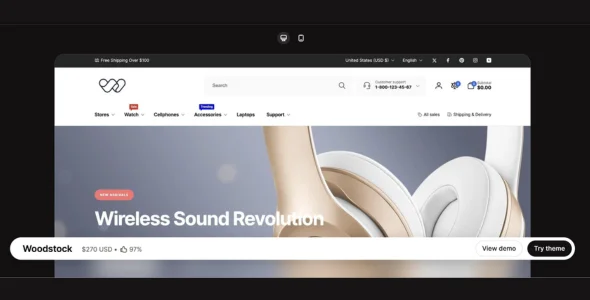
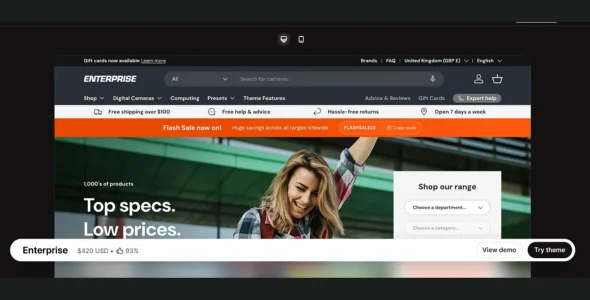
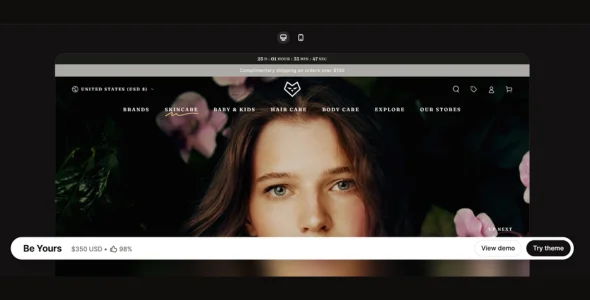
Woodstock Shopify Theme is a clean, minimalist, and performance-oriented premium theme designed for Shopify merchants who want a simple yet highly effective online store. It works particularly well for electronics, accessories, fashion, and multi-category shops that prioritize clarity, speed, and user experience. Overall, Woodstock focuses on usability, flexibility, and conversion efficiency.
Built with a responsive and modern framework, Woodstock ensures fast loading speeds and smooth navigation. While it is not based on Shopify OS 2.0 in its original versions, it still offers a solid customization experience with intuitive settings. As a result, store owners can create a professional storefront without needing advanced technical skills.
Woodstock stands out for its simplicity and focus on essential eCommerce features. For example, it includes practical tools that improve the shopping experience without overwhelming the design. In addition, it is beginner-friendly while still offering enough flexibility for experienced users. With reliable performance and straightforward setup, launching a functional store becomes quick and easy.
Newsletter Integration
Built-in subscription forms help grow your email list.
Ajax Cart Support
Add products to the cart without reloading the page. This enhances user experience.
Product Labels & Badges
Highlight promotions like “Sale” or “New” to attract attention.
Blog Support
Includes a simple blog layout to support content marketing.
Multi-Currency Support
Allows customers to view prices in different currencies.
Documentation & Support
Comes with helpful guides and customer support for setup assistance.
Download Woodstock Shopify Theme
Woodstock Shopify Theme is a great option for merchants who want a fast, clean, and easy-to-use store design. To get started, follow these steps:
Log in to your Shopify admin dashboard and go to Online Store > Themes
Upload the Woodstock theme file, then install and activate it
Customize your store using the theme settings panel
Woodstock Shopify Theme delivers a solid balance of simplicity and functionality. Because of its clean design and efficient performance, it is especially suitable for stores that value speed and usability over complex visuals. Businesses looking for a reliable and straightforward Shopify theme will find Woodstock to be a practical and effective choice.
This release highlights a major merchandising upgrade with product images now grouped by selected options, making variant media clearer and easier to browse. It also expands sharing and account capabilities and includes important UX/layout fixes to keep shopping flows stable across devices.
Added
Added native share sheet setting in the Product share block.
Added shopify-account component for improved customer account integration.
Added mobile image support to items in the Gallery section.
Added LCP setting to Rich slideshow and Media banner sections.
Added new social icons for Threads and Bluesky.
Added secondary menu support to Menu blocks in the Footer section.
Added FAQ JSON-LD schema support to Rich collapsible content and Collapsible content sections.
Added configurable mobile filter button style on collection and search results page.
Added an option to open the cart drawer automatically after a product is added to the cart.
Improvements
Optimized theme performance.
Grouped product images by selected options for clearer variant-based media display.
Removed the restriction that prevented the Custom section from being added to the Header Group.
Fixed
Fixed quantity input submit behavior on mobile virtual keyboards.
Fixed outline button and cover link behavior in the Video background block of Banner grid section.
Fixed shipping calculator fallback to use /{locale}/cart/shipping_rates.json.
Fixed Promotion tile behavior when parallax effect is disabled.
Fixed variant change process errors when the Add to cart button is not present.
Fixed unit price formatting.
Fixed broken layout on Samsung Galaxy Z Fold 7.
Fixed content position setting not applying in the Email signup banner section on password page.