Starting an online business has never been easier, and Shopify remains one of the best ecommerce platforms for beginners and professionals in 2026. Whether you want to launch a dropshipping business, build a fashion brand, or sell digital products, Shopify gives you everything needed to create a professional online store without coding knowledge.
In this complete guide, you’ll learn exactly how to start a Shopify store step by step, choose the right products, customize your website, and launch your business successfully.
Related Posts:



If you want to create a Shopify store the right way and avoid beginner mistakes, follow this guide carefully.
Why Shopify Is the Best Ecommerce Platform in 2026
Shopify powers millions of online stores worldwide and continues to dominate the ecommerce industry because it is beginner-friendly, fast, secure, and optimized for selling online.
Here are some reasons why entrepreneurs choose Shopify:
- Easy drag-and-drop store builder
- Professional premium themes
- Fast website speed
- Mobile-optimized design
- Built-in payment processing
- SEO-friendly structure
- Powerful app ecosystem
- Beginner-friendly dashboard
- Secure checkout system
Shopify is suitable for almost every business type including:
- Dropshipping stores
- Fashion brands
- Beauty products
- Print-on-demand businesses
- Digital products
- Home decor stores
- Electronics stores
- One-product stores
Start Your Shopify Free Trial
Before building your store, you first need a Shopify account.
Shopify currently offers:
- 3 days free trial
- Then only $1/month for 3 months
You can start here:
Step 1: Choose a Profitable Shopify Niche
One of the biggest reasons Shopify stores fail is choosing the wrong niche.
Instead of selling random products, focus on a specific audience and solve a clear problem.
Some profitable Shopify niches in 2026 include:
- Fitness products
- Home organization
- Beauty and skincare
- Pet accessories
- Smart gadgets
- Eco-friendly products
- Fashion and streetwear
- Gaming accessories
- Kitchen tools
- Baby products
When choosing a niche, ask yourself:
- Is there strong demand?
- Can I market this on TikTok or Instagram?
- Does the product solve a problem?
- Can I make good profit margins?
- Are people already searching for it?
You can use tools like:
- Google Trends
- TikTok Creative Center
- Pinterest Trends
- Amazon Best Sellers
Step 2: Create Your Shopify Store
After signing up, Shopify will guide you through the initial setup.
Choose:
- Store name
- Business category
- Selling goals
- Country and currency
Your store name should:
- Be short
- Easy to remember
- Brandable
- Easy to spell
Good examples:
- Velora
- Nexora
- PureFlex
- ZenCart
- Glowify
Step 3: Choose a Professional Shopify Theme
Your Shopify theme controls your website design and user experience.
A professional-looking store builds trust and increases conversions.
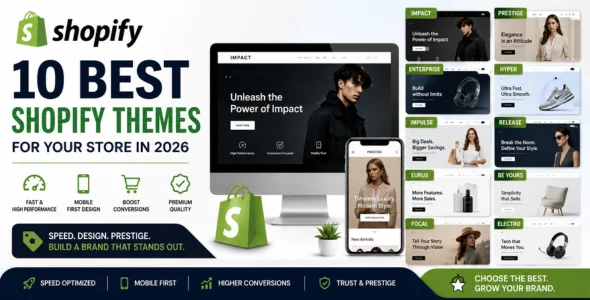
Popular premium Shopify themes in 2026 include:
A good Shopify theme should have:
- Fast loading speed
- Mobile optimization
- Clean layout
- Conversion-focused design
- Sticky add-to-cart button
- Fast checkout flow
If you want your store to look premium and professional, using a high-quality theme is extremely important.
Step 4: Customize Your Shopify Store
Now it’s time to design your website.
Important pages to create:
- Homepage
- Product pages
- About Us
- Contact page
- Privacy Policy
- Refund Policy
- Shipping Policy
Your homepage should include:
- Clear headline
- Featured products
- Trust badges
- Customer reviews
- Benefits section
- FAQ section
- Strong call-to-action buttons
Keep your design clean and avoid too many colors or animations.
Step 5: Add Winning Products
Products are the foundation of your Shopify business.
When adding products:
- Use high-quality images
- Write SEO-friendly titles
- Add detailed descriptions
- Include product benefits
- Use persuasive copywriting
A good product description should:
- Focus on benefits
- Solve customer problems
- Include keywords naturally
- Build urgency
- Increase trust
Example structure:
- Product introduction
- Main features
- Benefits
- Why customers love it
- FAQ
Step 6: Optimize Your Shopify Store for SEO
SEO is one of the best free traffic sources for Shopify stores in 2026.
Shopify already has strong SEO features, but you still need optimization to rank higher on Google.
Here are the most important Shopify SEO tips:
Use Keywords Properly
Include your main keyword naturally in:
- Title
- Meta description
- H1 heading
- URL
- Product descriptions
- Image alt text
Example keyword:
“How to start a Shopify store”
Improve Website Speed
Fast websites rank better on Google and convert more visitors.
To improve Shopify speed:
- Compress images
- Use lightweight themes
- Remove unnecessary apps
- Use WebP images
- Avoid heavy animations
Create Blog Content
Blogging is one of the best ways to get free Google traffic.
You can write articles about:
- Shopify tutorials
- Product guides
- Ecommerce tips
- Dropshipping advice
- Marketing strategies
Examples:
- Best Shopify Themes in 2026
- Shopify SEO Tips
- How to Find Winning Products
- Best Shopify Apps
Optimize for Mobile Devices
Most Shopify traffic comes from mobile users in 2026.
Always test your store on:
- iPhone
- Android
- Tablets
Your store should load fast and look clean on all devices.
Step 7: Set Up Payments and Shipping
Before launching your store, configure:
- Shopify Payments
- PayPal
- Stripe
- Shipping rates
- Taxes
Offer:
- Fast shipping
- Tracking numbers
- Secure checkout
- Multiple payment methods
These increase customer trust and improve conversion rates.
Step 8: Install Essential Shopify Apps
Apps help improve functionality and increase sales.
Best Shopify apps for beginners:
- Judge.me (reviews)
- Klaviyo (email marketing)
- DSers (dropshipping)
- PageFly (landing pages)
- TinyIMG (image optimization)
Avoid installing too many apps because they can slow down your website.
Step 9: Launch Your Shopify Store
Before going live, test everything carefully.
Checklist before launch:
- Test checkout process
- Verify payment gateways
- Check mobile responsiveness
- Optimize page speed
- Fix broken links
- Add legal pages
- Test contact forms
Once everything is ready, remove the password page and launch your store.
Step 10: Promote Your Shopify Store
After launching, you need traffic.
Best traffic sources for Shopify stores:
- TikTok Ads
- Facebook Ads
- Instagram Reels
- Pinterest SEO
- Google SEO
- YouTube Shorts
- Influencer marketing
Short-form video content works extremely well for ecommerce brands in 2026.
Common Shopify Beginner Mistakes
Avoid these common mistakes:
- Choosing bad products
- Using low-quality images
- Slow website speed
- Poor mobile design
- No SEO optimization
- Weak branding
- No marketing strategy
- Copying competitors
How Much Does It Cost to Start a Shopify Store?
You can realistically start with:
- Shopify trial: $1/month for 3 months
- Domain: around $10–15/year
- Theme: optional
- Marketing budget: flexible
Many beginners launch stores with under $100.
Final Thoughts
Starting a Shopify store in 2026 is easier than ever, but success depends on choosing the right niche, building a professional website, optimizing for SEO, and marketing consistently.
Focus on:
- Professional design
- Fast loading speed
- SEO optimization
- Mobile responsiveness
- High-quality products
- Strong branding
If you stay consistent and continue improving your store, Shopify can become a real long-term online business.
Start your Shopify journey today:
FAQ
Is Shopify good for beginners?
Yes, Shopify is one of the easiest ecommerce platforms for beginners because it requires no coding skills and includes everything needed to build an online store.
Can I start Shopify with no money?
Yes, many people start using Shopify’s free trial and low-cost beginner plan before scaling their business.
How long does it take to launch a Shopify store?
You can build a basic Shopify store in a few hours, but creating a professional and optimized store may take several days.
Is Shopify profitable in 2026?
Yes, Shopify remains one of the most profitable ecommerce platforms, especially for brands focused on SEO, TikTok marketing, and strong branding.